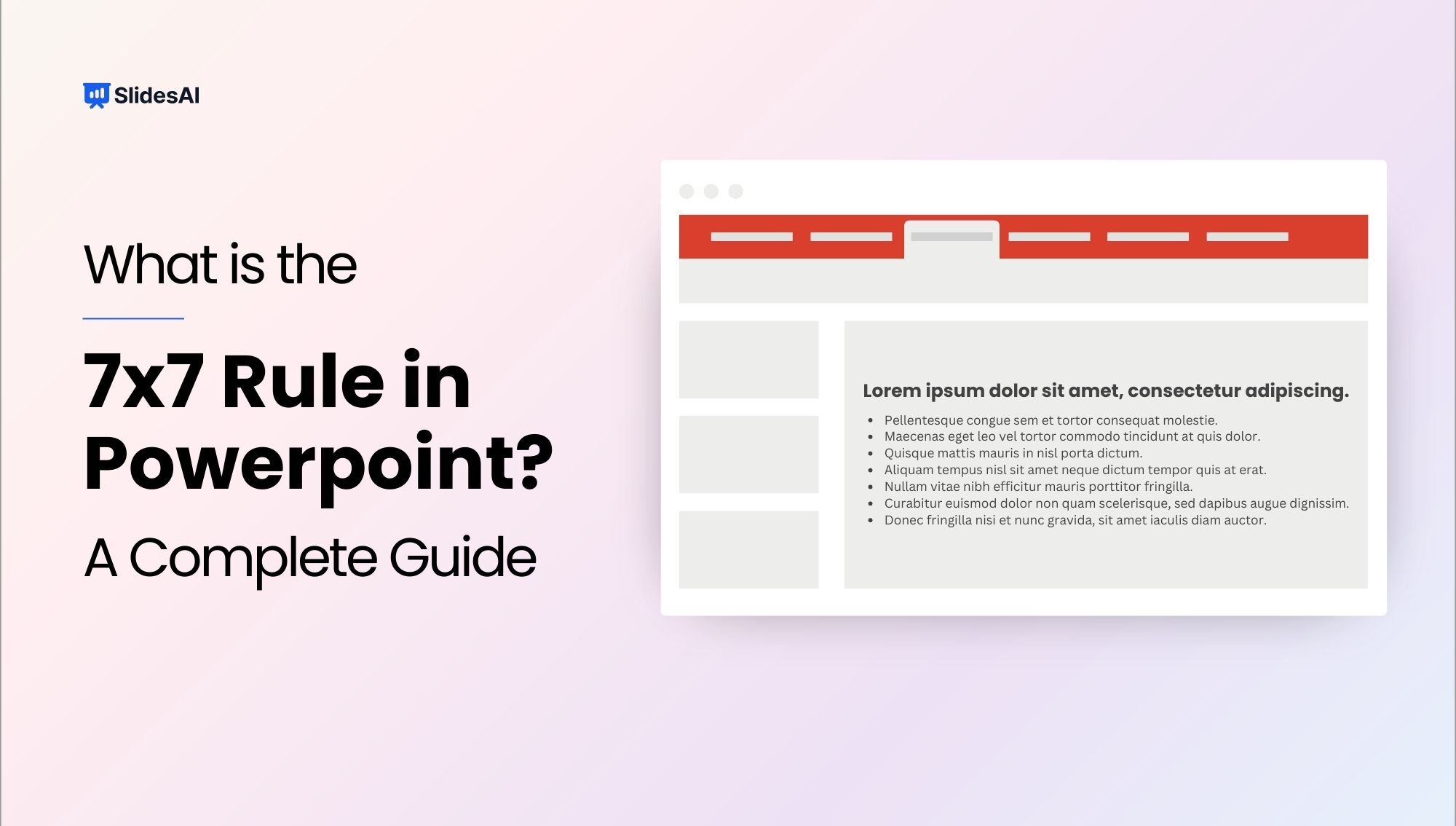
Captivate your audience with impactful presentations using the 7×7 rule. This design principle encourages a clear and focused approach by limiting slides to a mere 7 lines of text, each containing a maximum of 7 words. By adhering to this format, you can craft presentations that are not only easy to digest but also leave a lasting impression on your viewers. Let’s jump into the article and find out how it works.
What is the 7×7 rule in PowerPoint Slides?
The 7×7 rule in PowerPoint is a simple guideline that keeps slides clear, concise, and easy to read. It recommends using no more than 7 lines per slide and 7 words per line to avoid clutter and information overload. This helps audiences focus on key points instead of reading long text, while also reducing cognitive load and improving understanding.
According to Miller’s Law, people can retain around 7 items at a time, so adding too much information can overwhelm them. Structuring your presentation into 7 key ideas, each on its own slide, makes your message more memorable. While not a strict rule, it’s a useful guideline for creating clean, engaging slides and works well with modern AI presentation tools.

How Does the 7×7 Rule in PowerPoint Slides Work?
The 7×7 rule works by limiting the amount of text you place on each slide so your message stays clear and easy to follow. It encourages you to keep slides short, scannable, and focused on key ideas rather than long sentences or paragraphs. This makes it easier for your audience to understand your message quickly without feeling overloaded.
- Lines: Max 7 lines per slide.
- Words: Max 7 words per line (bullet point).
- Total: Up to 49 words per slide.
Why the 7×7 Rule helps you make better PowerPoint Presentations?
- Keeps slides clear and easy to understand – By limiting text, the 7×7 rule ensures your slides are simple and scannable. This prevents information overload and helps the audience quickly grasp key ideas.
- Improves audience focus and engagement – When slides are not cluttered with text, viewers pay more attention to what you’re saying instead of reading paragraphs. This keeps them engaged throughout the presentation.
- Reduces cognitive load (mental effort) – Human brains process limited information at once. Concise slides reduce mental strain, making it easier for audiences to understand and retain information.
- Forces you to highlight key points – With restricted space, you’re compelled to prioritize only the most important information. This results in sharper messaging and stronger communication.
- Makes slides more visually appealing – Less text creates clean, uncluttered slides with better visual balance. This improves readability and gives your presentation a more professional look.
- Encourages better presentation delivery – Since slides don’t contain everything, you rely more on speaking rather than reading. This improves your confidence and makes your delivery more natural.
- Enhances information retention – Short, focused points are easier to remember than long paragraphs. Audiences are more likely to retain concise and structured content.
- Saves time for both creator and audience – Creating concise slides reduces unnecessary content, and presenting them helps communicate ideas faster without overwhelming viewers.
- Ensures one clear idea per slide – The rule promotes focusing on a single concept per slide, making your presentation more structured and easier to follow.
- Makes presentations more impactful and persuasive – Clean, focused slides combined with verbal explanation create stronger storytelling, helping your message resonate better with the audience.
How to apply the 7×7 rule in PowerPoint?
- One Slide, One Point: Ensure each slide focuses on just one main idea or message. This keeps your presentation clear and prevents information overload.
- Keep it Simple: Avoid clutter by simplifying your content. Skip overly complex graphs or long blocks of text. Short, clear points make it easier for your audience to follow.
- Condense Sentences: Turn long explanations into short keywords or simple phrases, such as “Sales increased last quarter.” This helps you stay within the 7×7 limit while keeping your message sharp.
- Use Large and Readable Fonts: Choose text sizes that are easy to read from anywhere in the room. Readability is key to keeping your audience engaged.
- Maintain Consistent Formatting: Use the same fonts, colors, and layout style throughout your presentation. Consistency creates a polished, professional look and improves understanding.
- Leverage Visuals Effectively: Add charts, images, icons, or diagrams to explain ideas without relying heavily on text. Visuals help reinforce your message and keep slides visually appealing.
- Break It Up: If you have more points than the slide can handle, spread them across multiple slides. This keeps each slide clean and prevents overcrowding.
- Practice Your Delivery: Rehearse your presentation to get comfortable with the flow and timing. Strong delivery ensures your slides and spoken words work together seamlessly.
- Engage Your Audience: Make the presentation interactive by inviting questions or sparking short discussions. This keeps attention high and encourages participation.
Create Presentations Easily in Google Slides and PowerPoint
14M+Installs
 Install add-in
Read Related – How to Link an Excel chart in PowerPoint
Example of 7×7 PowerPoint Presentation
Let’s consider a presentation about “Effective Time Management Techniques”. We’ll start with a slide that doesn’t adhere to the 7×7 rule, followed by a revised slide that does follow the rule.
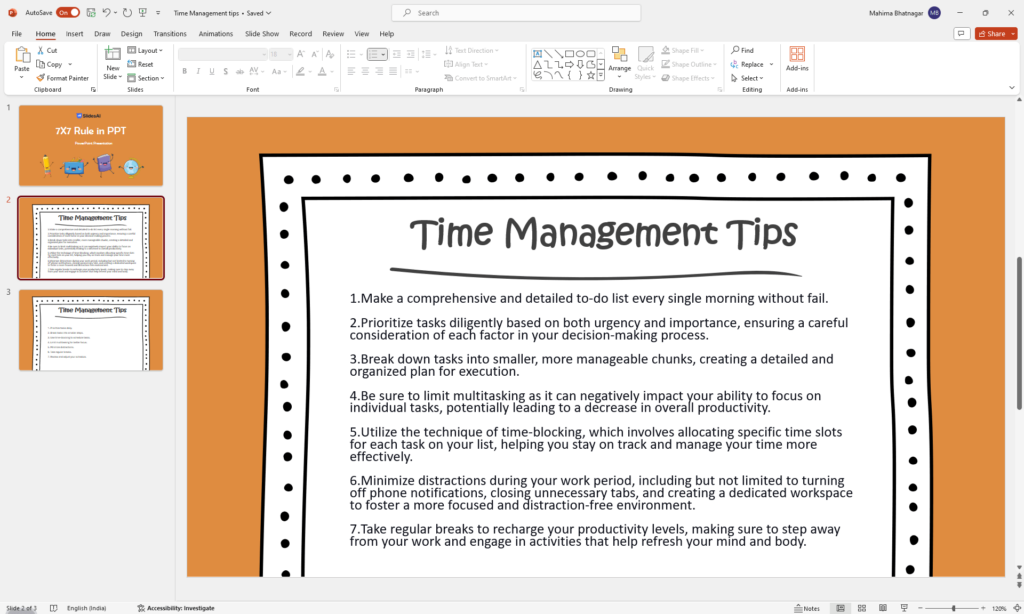
Slide Without 7×7 Rule:
Slide Title: Time Management Tips
Bullet Points:
- Make a comprehensive and detailed to-do list every single morning without fail.
- Prioritize tasks diligently based on both urgency and importance, ensuring a careful consideration of each factor in your decision-making process.
- Break down tasks into smaller, more manageable chunks, creating a detailed and organized plan for execution.
- Be sure to limit multitasking as it can negatively impact your ability to focus on individual tasks, potentially leading to a decrease in overall productivity.
- Utilize the technique of time-blocking, which involves allocating specific time slots for each task on your list, helping you stay on track and manage your time more effectively.
- Minimize distractions during your work period, including but not limited to turning off phone notifications, closing unnecessary tabs, and creating a dedicated workspace to foster a more focused and distraction-free environment.
- Take regular breaks to recharge your productivity levels, making sure to step away from your work and engage in activities that help refresh your mind and body.
Analysis:
- This slide is a mess! It’s overloaded with lengthy sentences and unnecessary explanations.
- People might get lost in all the words and lose interest in what the presenter is saying.
- The cluttered appearance of the slide makes it hard to focus on the main points.
- It lacks visual appeal and looks chaotic.
Read Related – PowerPoint Do’s and Dont’s
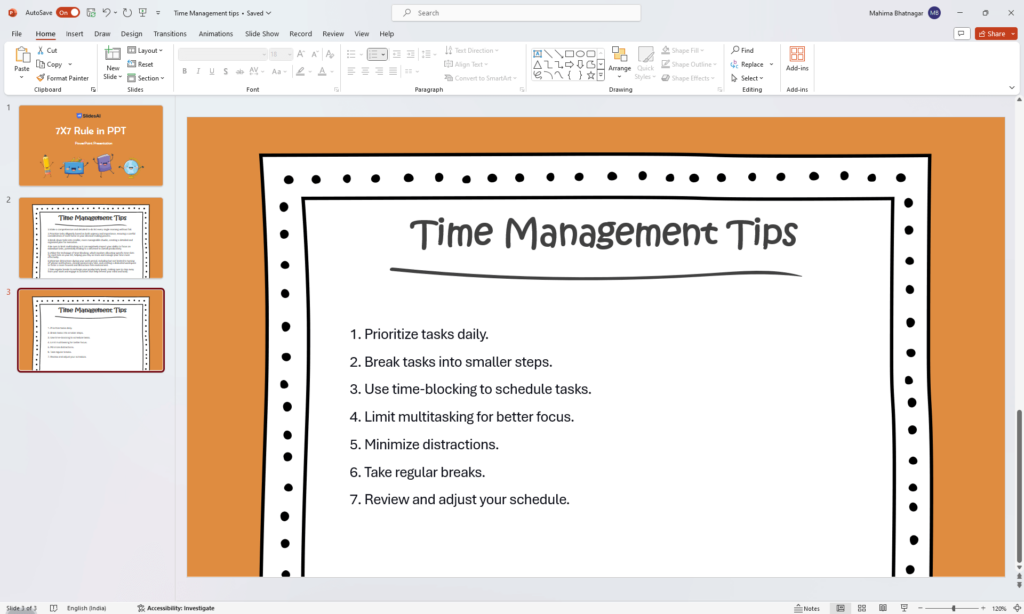
Slide With 7×7 Rule:
Slide Title: Time Management Tips
Bullet Points:
- Prioritize tasks daily.
- Break tasks into smaller steps.
- Use time-blocking to schedule tasks.
- Limit multitasking for better focus.
- Minimize distractions.
- Take regular breaks.
- Review and adjust your schedule.
Analysis:
- This slide follows the 7×7 rule, keeping things short and sweet.
- Less text means people can focus on what the presenter is saying.
- It looks clean and simple, making it more visually appealing.
- It’s easy for the audience to understand quickly.
How the Rule Makes the Slide Better:
- Reduces Cognitive Load: Limiting text prevents overwhelming the audience’s working memory, making the content easier to process.
- Improves Focus: Clear, minimal slides keep attention on the speaker instead of letting viewers get distracted by reading ahead.
- Enhances Clarity: The rule encourages the use of keywords and helps you stick to one main idea per slide.
- Visual Appeal: Cleaner, well-spaced slides look more polished and professional.
- Easier to Understand: With fewer words, the audience can quickly understand the main points without effort.
- More Engaging: Less text encourages the presenter to speak more, creating a more dynamic and interactive experience.
- Rememberable: Simple, focused slides make it easier for the audience to remember the key takeaways.
- Looks Professional: Following the 7×7 rule shows attention to detail and respect for the audience’s time.
Difference between 7×7 Rule and 5-5-5 Rule
| Aspect | 7×7 Rule | 5-5-5 Rule |
|---|---|---|
| Definition | Max 7 lines per slide, 7 words per line | Max 5 lines per slide, 5 words per line, no more than 5 text-heavy slides in a row |
| Text Density | Moderate, allows slightly more content | Low, focuses on minimal text |
| Best Use Case | Informational or slightly detailed presentations | High-impact, visual, or storytelling presentations |
| Audience Readability | Easy to read but still contains some detail | Extremely easy to scan and digest quickly |
| Cognitive Load | Reduced compared to text-heavy slides | Very low, minimizes mental effort significantly |
| Design Style | Balanced between text and visuals | Strongly visual with very little text |
| Presenter Dependency | Medium, slides still carry some information | High, presenter must explain most of the content |
| Engagement Level | Good engagement | Higher engagement due to simplicity and visuals |
| Flexibility | More flexible for different types of content | More restrictive but cleaner |
| Ideal Presentation Type | Business reports, educational content, webinars | Pitches, marketing presentations, storytelling decks |
| Risk | Can still become slightly heavy if misused | May feel too minimal if not supported with strong visuals |
Closing Thoughts
The 7×7 rule is a simple yet effective way to make your presentations more engaging. By keeping your slides clear and concise with strong visuals, you’ll help your audience understand the key points and remember them easily. This approach will not only ensure your message gets across but also encourage interaction and discussion. So, put the 7×7 rule to the test and watch your presentations come alive!
Ready to create presentations that captivate your audience? Visit SlidesAI today and discover how AI can help you craft compelling presentations that follow the 7×7 rule
Build Stunning Slides in Seconds with AI
- No design skills required
- 3 presentations/month free
- Don't need to learn a new software

Frequently Asked Questions: 7×7 rule in PowerPoint
1. Is the 7×7 rule a must-follow rule?
The 7×7 rule is more like a helpful tip than a strict requirement. You can adjust it as needed for your presentation. However, keeping the text short and clear is still very important.
2. What if I have a lot to share?
Consider splitting the information across multiple slides. You can also use charts and graphs to show complex data in an easy-to-understand way.
3. Does the 7×7 rule count the slide title?
No, the 7×7 rule usually doesn’t apply to the slide title. Keep the title short and clear, highlighting the main point of the slide.
4. What font size should I use?
Choose a font size that’s big enough for everyone in the audience to read easily, especially those seated further away. A size between 18 and 24 is generally a good choice.
5. Are there other design things to keep in mind?
Yes. Using a consistent style throughout your slides, including clear pictures or graphs, and having a simple color scheme can make your presentation look better and more professional.
6. Are there other options similar to the 7×7 rule?
Some people prefer using similar rules like the 6×6 rule or the 10×5 rule. The main goal is to keep your content short and interesting. Try different things to see what works best for your specific presentation and the audience you’re presenting to.